DevOps practices
Performance optimization
SEO optimization
Data analytics
Marketing strategies
Turn Website Alerts into Action: 30-Day Plan for Teams
Iliya Timohin
2026-01-09
Website alerts often signal real risks — broken pages, lost traffic, failed conversions — but without a clear response process, they quickly turn into background noise. This article shows how a website monitoring tool can help teams turn scattered alerts into a structured alert response process in 30 days, without needing a full DevOps setup. If this feels familiar, reach out and briefly describe how alerts work in your team today.
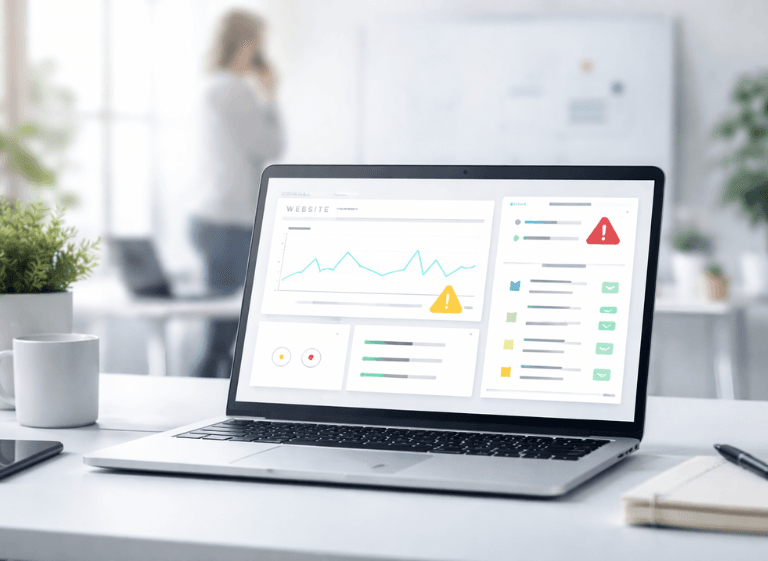
Website Alerts: Chaos Without Action
Website alerts usually start with good intentions: protect uptime, SEO, conversions, and user experience. In practice, teams receive dozens of notifications daily — availability incidents, recurring errors, response time spikes, SSL expiry warnings — but no one knows who should act, how fast, or what “done” looks like.
The result is predictable: alerts pile up, channels get muted, and the real problem is discovered only after traffic, revenue, or customer trust takes a hit. The issue isn’t monitoring — it’s the lack of ownership, priorities, and a repeatable response workflow.
A useful alert should answer four questions immediately: who owns it, how urgent it is, what the first check is, and when it is considered “done.” When teams don’t agree on those basics, the same alert either gets ignored or gets escalated chaotically — and both outcomes lead to the same result: you learn about the incident from lost traffic, angry customers, or a revenue dip.
If you recognize this pattern, use contact us to briefly describe your current alert setup and who reacts to what today — we’ll suggest how to make it actionable without turning your team into a full-time on-call squad.
Who Should Act on Which Website Alerts
Turning alerts into action starts with ownership. Different teams see different risks, and a website monitoring tool should support that reality instead of flooding everyone with the same signals.
Uptime, SSL, and response-time issues can quietly turn into SEO, revenue, and trust problems. A solid monitoring for SEO setup helps you spot these risks early — and the next step is making sure everyone knows who does what when an alert fires.
SEO team
For SEO specialists, uptime, SSL, and response time alerts often translate into visibility risk. When important URLs return 4xx/5xx errors or response time spikes, rankings can slide before the team even realizes the site was unstable.
MySiteBoost alerts don’t “do SEO” for you — they trigger the right checks. When an alert hits a high-value page, the SEO owner should confirm the page is accessible, then verify impact in GSC and watch for abnormal drops in impressions, clicks, or branded demand over the next days.
This is also where strategy matters: strong digital promotion can’t compensate for a page that’s intermittently down or painfully slow during peak demand.
Marketing team
Marketing teams care less about logs and more about the user journey and revenue leakage. A landing page that goes down during an active campaign doesn’t just “lose traffic” — it burns budget, breaks trust, and turns paid clicks into a dead end.
Availability or response-time alerts should trigger a fast reality check: is the campaign traffic still hitting a working page, are forms loading, and are users completing the intended path. After the technical fix, marketing validates outcomes in GA4 and confirms conversion flow is back to normal.
Product team
Product teams need early signals that user experience is at risk, especially around critical flows. Downtime or slow response times often show up first as “weird” behavior: incomplete signups, abandoned checkouts, or users refreshing pages like it’s 2009.
When alerts fire on key pages, product owners should coordinate with DevOps on the incident and then validate impact through product analytics: completion rates, support ticket spikes, and qualitative signals like user complaints or session replays. The goal is not blame — it’s learning what broke and how to prevent repeat incidents.
Dev / DevOps team
For Dev and DevOps, alerts are about performance, uptime, and stability — but also about noise control. Response time spikes and 5xx errors need to reach engineers fast, with clear priority and an escalation path, otherwise teams drown in alerts and miss the real outage.
This is where alert ownership matters: one person (or rotation) is responsible for triage, and everyone else knows when they’re pulled in. A lightweight runbook for the top alert types prevents “panic debugging” and makes escalation predictable instead of emotional.
A practical “owner map” solves half the problem: which alerts page an engineer immediately, which ones go to a queue, and which ones are informational. If ownership is unclear and roles keep colliding, it’s usually faster to align this in one discussion — it’s usually faster to align this in one discussion — a short call to map alert ownership and escalation is often enough.
Mapping Alerts to Risks and Actions
Alerts only become useful when they trigger specific actions. Instead of reacting emotionally, teams should map alerts to risks and predefined steps, using practical alerting and lightweight runbooks as the baseline mindset for what “good” response looks like.
A runbook doesn’t have to be a 20-page document. In most teams it’s a one-page checklist: first check, owner, escalation rule, and the definition of “resolved” — enough to turn an alert into a decision.
| Alert | Risk | Recommended action |
|---|---|---|
| Homepage down (5xx for several minutes) | Lost leads and revenue during downtime | Dev/DevOps restores availability and checks hosting/CDN; SEO and Marketing pause traffic-driving activity to that page until it’s stable; PM logs the incident and confirms owner + next steps. |
| Critical landing page returns 404/5xx | Organic visibility loss and broken acquisition funnels | Dev fixes the page or implements a correct redirect; SEO checks impact in GSC and validates internal links; Marketing confirms campaigns don’t send users to a broken URL. |
| Slow response time spike on a revenue-critical page | Lower conversion rate and higher bounce risk | Dev/DevOps investigates server-side bottlenecks and third-party scripts; Product checks whether the slowdown affects key steps; Marketing reviews active campaigns that amplify the impact. |
| SSL certificate expiring soon (7–14 days) | Browser security warnings, trust loss, possible SEO impact | Dev/DevOps renews the certificate and verifies HTTPS works end-to-end; SEO checks that critical pages remain accessible; Marketing confirms user-facing flows don’t break due to warnings. |
| Intermittent downtime (short outages repeating) | Hidden reliability issue that becomes a major incident | Dev/DevOps looks for patterns in infrastructure changes and traffic peaks; PM prioritizes a stability fix; SEO/Marketing watch for performance-related behavior shifts and page availability for top entry pages. |
| Slow response during peak hours | Poor user experience when it matters most | Dev/DevOps checks capacity and caching/CDN behavior; Product maps which flows are most affected; Marketing adjusts timing/volume of traffic-driving activities if needed. |
| Repeated warnings on the same URL | Alert fatigue and missed real outages | Team reviews thresholds and routing; remove noise alerts, keep business-critical ones; define escalation rules and an owner so warnings trigger action, not muting. |
30-Day Alert Response Workflow
A sustainable alert workflow doesn’t require months of planning. A focused 30-day plan is often enough to bring structure without slowing teams down. The point is clarity — ownership, priorities, and repeatable actions — not “more monitoring.”
Week 1: Audit Current Alerts
Collect every alert your team receives across tools and channels, including MySiteBoost, GA4/GSC notifications, and any custom checks. Tag each alert with: owner, severity, and what action (if any) it triggered in the last few weeks.
By the end of Week 1, you have a clean alert inventory and can see what belongs in your monitoring stack versus what’s just noise.
Week 2: Assign Roles and Prioritize
Define clear ownership by alert type (uptime/SSL/performance), and agree on severity rules (critical vs informational) so the right people get the right signal at the right time. If an alert has no owner, it either gets reassigned with a clear action, or removed.
At minimum, every alert should have:
- Owner: the role responsible for triage (not “the whole team”)
- Priority: what counts as Critical vs informational
- Escalation path: when and how it moves to the next owner
- Definition of done: what “resolved” means (restored, verified, documented)
By the end of Week 2, every alert has an owner, a priority level, and an escalation path. If roles keep overlapping or no one wants to “own” alerts, it’s often faster to align this on a short call — it’s often faster to align this in a short call and map responsibilities without turning it into a bureaucratic mess.
Week 3: Analyze Monitoring History for Patterns
Use historical monitoring data to find patterns: recurring slowdowns during peak hours, repeated 5xx incidents after releases, or SSL warnings that always get handled too late. This is where data and analytics helps you connect alerts to business impact instead of treating them as isolated events.
By the end of Week 3, you know which alerts reliably predict real incidents and where your biggest risk windows are. If you want a concrete reference point, see the MySiteBoost case study to understand how monitoring signals can be operationalized into team actions.
Week 4: Draft & Test Your Alert Plan
Turn the patterns into a simple response playbook: what to check first, who acts, when to escalate, and what “resolved” means for each alert category. Then test it with one or two realistic scenarios (for example: homepage down during business hours, or SSL expiring soon) to confirm alerts reach the right owners and trigger the expected actions.
How MySiteBoost Fits Into Your Monitoring Stack
MySiteBoost complements — not replaces — traditional tools. While DevOps logs focus on infrastructure and GA4 tracks user behavior, MySiteBoost works as a website monitoring tool that watches uptime, response time, and SSL status — then alerts the right people to verify impact in their own systems.
Depending on your setup, teams may also monitor supporting signals like domain or certificate expirations and recurring availability checks, while keeping deeper root-cause analysis in DevOps tools.
In a broader monitoring stack, it helps reduce “blind handoffs” between SEO, marketing, product, and engineering. The logic is simple: the tool flags a technical signal early, and the team confirms consequences where it actually shows up (rankings, funnels, incidents). This aligns with widely used monitoring best practices from application monitoring best practices and the broader idea of monitoring vs observability covered in monitoring and observability best practices.
If you want the deeper layer behind “what happened and why,” this is where SaaS observability matters — and your team can go further than basic alerts when needed via SaaS observability.
FAQ
What if I already use GA4?
GA4 explains what users did; MySiteBoost alerts you when uptime, response time, or SSL issues may be the reason.
What does MySiteBoost monitor?
Uptime, response time, and SSL certificate status for selected pages.
Can I monitor multiple projects?
If you manage more than one site, you can monitor them under one account depending on your setup and plan.
Which alerts matter for SEO?
Downtime on key pages, SSL expiration warnings, and response-time spikes — then confirm impact in Google Search Console.
Is MySiteBoost a replacement for DevOps monitoring tools?
No. It complements them by routing early signals to the right owners while DevOps investigates root cause.
Do I need a developer to set up alert rules?
Not for basic monitoring. You may need engineering help to fix the underlying issue after an alert fires.

Summary and Next Steps
When alerts are structured, owned, and mapped to actions, teams stop reacting chaotically and start protecting traffic, conversions, and trust. A clear workflow turns alerts into decisions — and decisions into outcomes.
The shift is simple: instead of “alerts everywhere, action nowhere,” you end up with a shared response workflow your teams can follow without constant firefighting.
If you want help turning noisy alerts into an agreed response workflow, you can contact us with a short description of your setup, or book a call to align owners and escalation paths. If you’re evaluating long-term support, use SEO agency selection to set expectations around monitoring and incident response. Ready to start with the tool? Visit the MySiteBoost website and build your first alert workflow.