Web development
E-Commerce Solutions
SEO optimization
Performance optimization
CMS integration
DevOps practices
Optimize Images for SEO & Core Web Vitals in 2026: CMS Blueprint
Iliya Timohin
2026-02-07
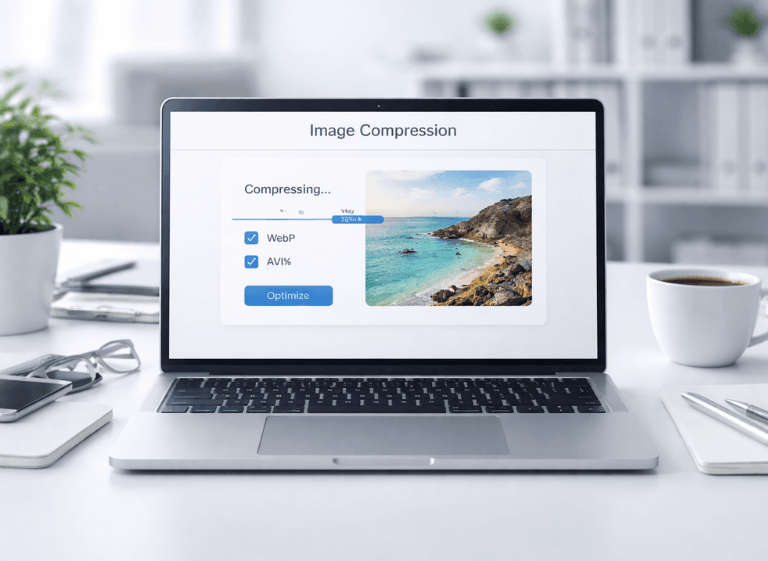
Image optimization in 2026 is no longer an optional performance tweak — it’s a practical requirement for SEO and Core Web Vitals. For eCommerce websites built on OpenCart, PrestaShop, and CS-Cart, images are one of the most common causes of slow LCP, layout shifts (CLS), and declining organic visibility as catalogs grow. This article gives you a CMS blueprint you can reuse: typical platform pitfalls, a system-based workflow (compress → convert → deliver → validate), decision tables for trade-offs, a 2026 checklist, and clear answers to the questions teams ask when speed fixes don’t stick.
Why Image Optimization Matters for SEO & Core Web Vitals in 2026
In 2026, website speed affects SEO, user behavior, and conversion performance — especially for eCommerce sites. Images directly impact Core Web Vitals, most noticeably LCP (how fast the main content appears) and CLS (how stable the layout stays), and they can indirectly worsen INP when heavy galleries and scripts compete for interactions. For OpenCart, PrestaShop, and CS-Cart stores, this is critical because product pages and category listings are image-heavy by design and change constantly.
Effective image optimization is not just file compression. It requires control over dimensions, formats, loading behavior, and delivery. These mechanics are closely tied to performance practices like lazy loading, which helps keep below-the-fold images from competing with above-the-fold content.
Core Web Vitals: where images hit hardest
Images are often the largest element in the viewport, which makes them the primary LCP candidate on many product and category pages. Missing intrinsic dimensions cause layout shifts and higher CLS, while outdated formats and oversized files delay rendering and reduce content visibility.
Why eCommerce CMS platforms suffer more
Online stores load images at scale: galleries, thumbnails, banners, sliders, and promotional blocks — often generated by themes, modules, and content editors. Without automation and guardrails, pages can degrade over time even if the initial optimization looked “done”.
Table 1. How images affect Core Web Vitals
| CWV metric | How images break it | Typical CMS cause | How to fix | How to verify |
|---|---|---|---|---|
| LCP | Oversized hero/product image becomes the largest element in the viewport | Original uploads, no responsive sizing, legacy formats, no CDN/cache layer | Resize + compress, WebP/AVIF, serve responsive variants, optimize delivery | PSI (lab) + CrUX (field), DevTools (Network) |
| CLS | Layout shifts when images load late or resize after render | Missing width/height, inconsistent image containers, sliders injecting content | Define dimensions (or reserve space), stabilize containers, audit sliders | PSI (CLS details), DevTools (Performance/Layout Shift) |
| INP | Interactions lag when heavy galleries and scripts block the main thread | Slider/gallery JS, too many event handlers, late-loading UI modules | Defer non-critical scripts, simplify galleries, reduce JS work on interaction | DevTools (Performance), field signals where available |
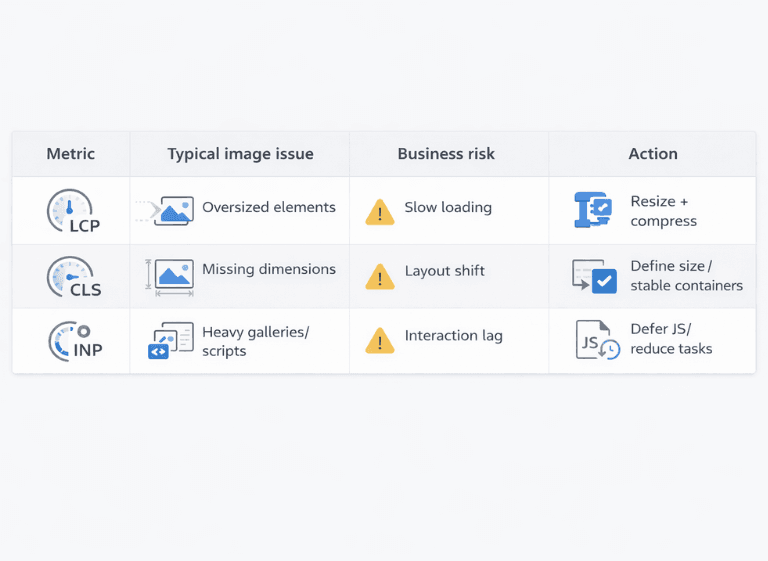
A broader overview of image optimization tools can help you compare approaches to formats, delivery, and automation.
Common CMS Speed Traps: What Breaks CWV in OpenCart / PrestaShop / CS-Cart
Most CMS performance issues repeat across OpenCart, PrestaShop, and CS-Cart projects regardless of theme or hosting. In practice, they come from default image-handling behavior (uploads, resizing, thumbnails, and front-end widgets) rather than custom development.
The most common traps include:
- uploading images in original resolution (no resizing for real display sizes);
- missing width and height attributes (or unstable containers) that trigger CLS;
- lazy loading not configured — or configured incorrectly for above-the-fold images;
- serving one oversized image to all devices (no responsive variants/srcset);
- heavy sliders and carousels that add weight and delay interaction (INP risk);
- legacy formats instead of modern ones (WebP/AVIF);
- missing cache or CDN layers for image delivery.
Real-world examples of common mistakes show how these “small” decisions compound into CWV regressions over time.
Solution Blueprint: Compress → Convert → Deliver → Validate
Reliable image optimization is a process, not a one-time task. A sustainable blueprint has four stages: compression, conversion, delivery, and validation — and the goal is to keep results stable as new products and banners are added. If your catalog is huge or your CMS makes bulk actions painful, standalone apps can handle batch processing without turning the admin UI into a spinner museum.
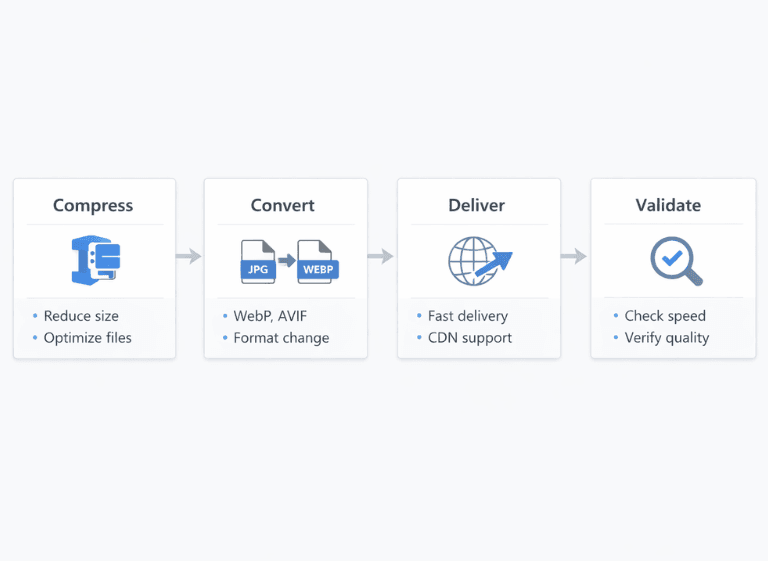
Table 2. Image optimization blueprint
| Step | What to do | Where to configure | Risks | How to validate |
|---|---|---|---|---|
| Compress | Resize to real display sizes + apply lossless (or controlled lossy) compression | CMS settings / image module / build pipeline | Quality loss, artifacts, “re-compressing” the same asset multiple times | Visual QA on key templates + spot-check file sizes in DevTools |
| Convert | Serve modern formats (WebP/AVIF) with fallback for compatibility | CMS module / server (Nginx/Apache) / CDN image optimization | Broken images on edge browsers, transparency issues, wrong MIME types | DevTools (Network/Headers) + quick cross-browser sanity check |
| Deliver | CDN + caching, smart loading (lazy only below the first screen), stable containers | CMS templates / CDN config / performance layer | CLS from unstable sizes, worse LCP if hero images are lazy-loaded | PSI diagnostics + DevTools (LCP element, network waterfall) |
| Validate | Measure impact and watch regressions after content updates | PSI + CrUX + Google Search Console | False conclusions from lab-only tests or too short timeframes | Field trends (CrUX/GSC) + before/after comparison on key pages |
Snip.1. Anti-CLS pattern (width/height)

Snip.2. WebP / AVIF fallback

Platform Blueprints: How to Implement Image Optimization in Popular CMS
While CMS architectures differ, the optimization logic stays the same: automate bulk optimization, serve modern formats with fallback, and validate Core Web Vitals after changes. Below are platform-specific notes that help avoid regressions without turning this into a step-by-step tutorial.
OpenCart blueprint
In OpenCart, image workflows scale fast: originals, thumbnails, category grids, and galleries. To keep LCP stable as the catalog grows, batch optimization and format control should be automated (uploads + existing assets) and aligned with how the theme renders images.
If you want to see what bulk compression/conversion solutions typically cover, review bulk image modules. For a production-minded reference implementation, here is an OpenCart image optimizer that illustrates “set it up once” automation in practice.
PrestaShop blueprint
In PrestaShop, regeneration and image types are frequent risk zones: it’s easy to end up with inconsistent sizes, heavy thumbnails, and repeated re-processing that hurts performance over time. A reliable approach focuses on consistent image rules across templates and bulk optimization that doesn’t depend on manual uploads. A PrestaShop optimization module can help keep regeneration and bulk optimization consistent across themes.
CS-Cart blueprint
CS-Cart relies on images across storefront and admin areas, and catalogs tend to grow “quietly” until CWV regressions become visible. Cron-based processing is useful for keeping bulk optimization predictable (off-hours) and for preventing silent regressions as new assets appear. A CS-Cart image module approach supports this “process, not a one-time fix” model.
WordPress / Drupal
For content-driven CMS platforms, the same principles apply: bulk optimization, modern formats (WebP/AVIF) with fallback, and CWV validation after changes — especially when themes, editors, or galleries add layout shifts (CLS) or interaction overhead (INP).
Snip.3. Cron template (placeholders)
0 3 * * * php /path/to/script --optimize-images --limit=100
How to Measure Results Without Lying to Yourself
Measurement is where most teams get misled. PageSpeed Insights (PSI) is lab data — useful for debugging, but it’s not the same as real user experience. To evaluate image optimization fairly, always combine PSI (lab), CrUX (field), and Google Search Console signals — and look for trends, not one-off wins.
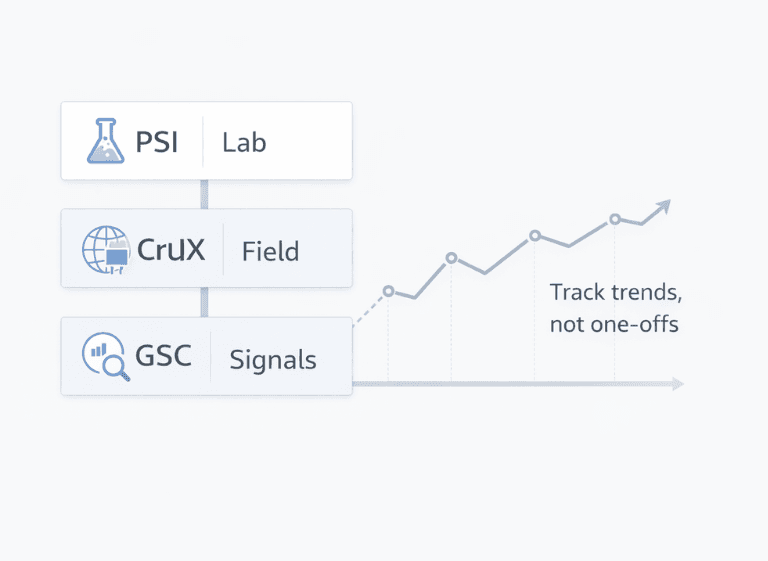
For ongoing regression monitoring, treat Core Web Vitals shifts like production issues: detect → confirm → fix → validate, using the right mix of lab and field data.
Table 3. How to measure results correctly
| What to measure | Where to check | What counts as improvement | Common mistakes |
|---|---|---|---|
| LCP | PSI (lab) + CrUX (field) | A stable downward trend (not a single “green” run) | Judging success by lab-only results or testing only one page |
| CLS | PSI + DevTools (Layout Shift) | Consistently below 0.1 on key templates | Missing dimensions / unstable containers / sliders injecting content |
| INP | Field signals (CrUX / GSC CWV report) + DevTools (Performance) | A positive trend after changes and content updates | Too short a timeframe or ignoring interaction-heavy pages (galleries, filters) |
If you need a refresher on CWV thresholds and how PSI/CrUX map to them, this reference is useful.
Realistic Image Optimization Results in 2026
Without real project measurements, outcomes should be discussed as hypothetical. In practice, image optimization most often improves LCP and stabilizes CLS, but the exact delta depends on theme quality, hosting/CDN setup, and how image-heavy your templates are (product pages, listings, galleries). As a reference point, review this image optimizer case to see how optimization decisions connect to measurable outcomes.
Table 4. Hypothetical example (illustrative)
| Metric | Before | After | What influenced it | How to confirm |
|---|---|---|---|---|
| LCP | 4.0 s | 2.5 s | Resized hero/product image + WebP/AVIF delivery (no oversized assets) | CrUX (field) |
| CLS | 0.25 | 0.05 | Defined width/height (or reserved space) for images on key templates | PSI + DevTools (Layout Shift) |
Image Optimization Checklist for Any CMS in 2026
- Automated image compression with quality guardrails
- WebP and AVIF with fallback where needed
- Responsive image sizing for real display sizes (avoid oversized assets)
- Lazy loading only below the first screen (never lazy-load the LCP image)
- Defined width/height or reserved space to prevent CLS
- Scheduled bulk processing (cron/queue) for large catalogs
- Caching + CDN delivery for images (consistent, repeatable)
- Image sitemap coverage for indexable image-heavy pages
- Visual QA on key templates (product, category, homepage blocks)
- Core Web Vitals monitoring plus regression alerts
FAQ
How to compress images in OpenCart?
Use an OpenCart module that supports bulk image optimization (existing catalog + new uploads), with resizing to real display sizes, controlled compression, and optional WebP/AVIF conversion. Automation matters because manual compression doesn’t scale and regressions return as the catalog grows.
Best WebP/AVIF plugins for CMS?
Choose a solution that generates WebP/AVIF automatically, serves a safe fallback (JPEG/PNG) when needed, and avoids double-compressing the same asset. Bonus points if it works with CDN/caching and keeps image dimensions stable (CLS control).
Core Web Vitals image optimization?
Prioritize LCP and CLS first: keep the LCP image properly sized and not lazy-loaded, define width/height (or reserve space) to prevent layout shifts, and use modern formats when they don’t break compatibility. Validate with PSI for debugging and CrUX/GSC for real-world trends.
OpenCart vs Shopify speed plugins?
OpenCart plugins can go deeper into image pipelines (bulk processing, formats, templates), so the impact is often more controllable. Shopify apps can optimize images, but parts of performance behavior are constrained by the platform — always measure before/after on key pages instead of trusting “score promises.”
Do I need a bulk image optimizer for eCommerce?
If you have a large catalog or frequent content updates, yes. Bulk processing + scheduled runs help keep image quality, LCP/CLS stability, and performance consistent over time.

Image optimization for SEO and Core Web Vitals in 2026 works best when it’s a repeatable process, not a one-time cleanup. Once catalogs grow, manual fixes rarely hold — especially on OpenCart, PrestaShop, and CS-Cart where new images appear constantly across listings and galleries. If you need a scalable way to automate compression, modern formats, and ongoing control, a module-based setup can support a stable workflow. You can review the image optimization hub as a centralized, CMS-friendly option.